From the box to the patient's file, in seconds
No more manual data entry in aesthetic medicine
Scan your injectable product boxes and automatically capture reference, lot number, and expiration date into your patient records. Free. Anonymous.
Available now

Instant synchronization
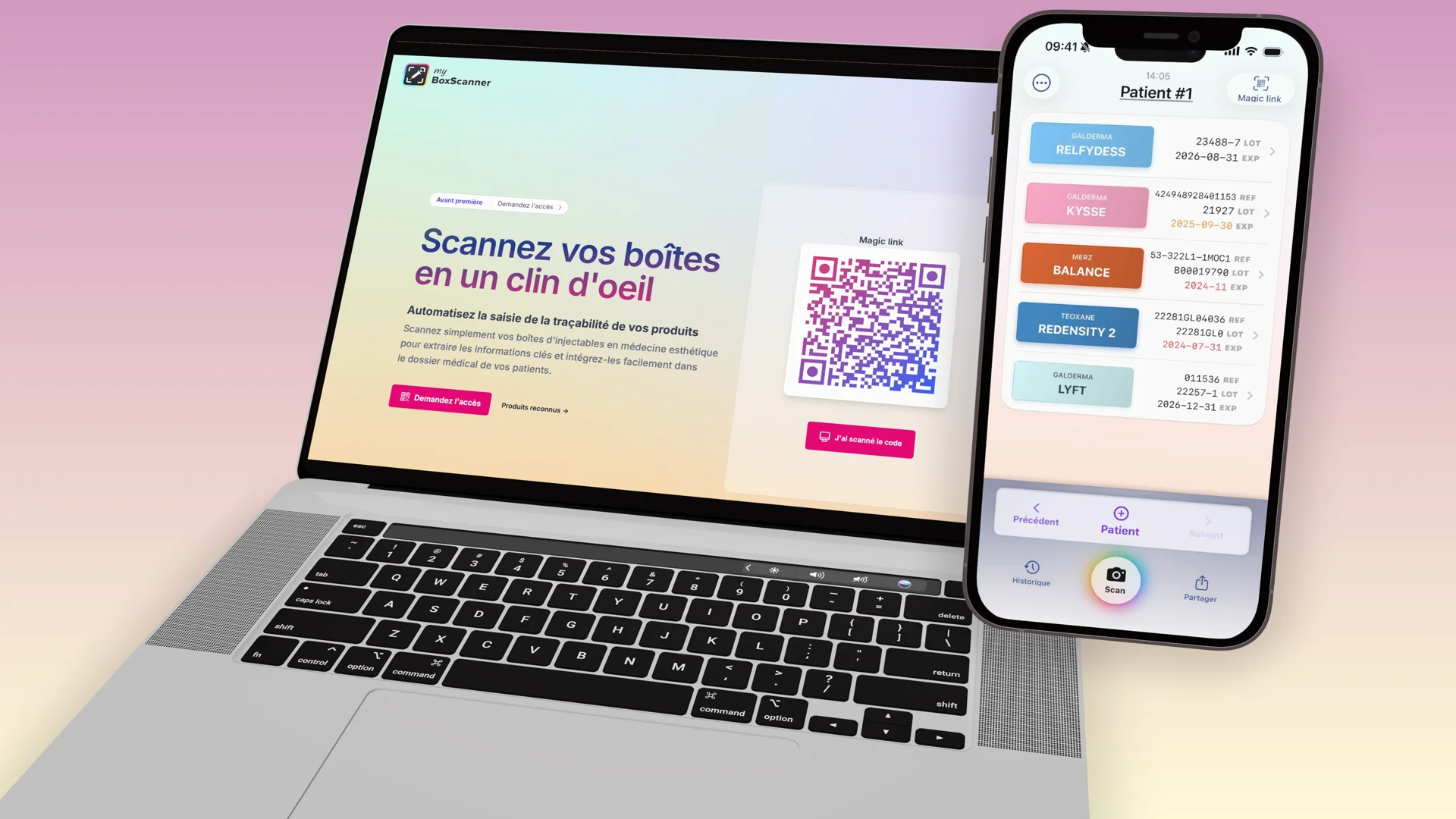
Sync with your PC
To synchronize boxes scanned on your phone with your PC, simply scan the Magic Link on the homepage with your app. Everything is then synchronized.
- Sync the Magic Link
- Scan the QR code (Magic Link) on the homepage with your MyBoxScanner app to connect your phone and PC.
- Scan your boxes
- Use the app to scan your injectable boxes. All information is automatically extracted and synchronized.
- Copy to your medical record
- From the web app, easily copy-paste the information into your patients' medical records for traceability.
- Real-time synchronization.
- Your scans appear instantly on your computer thanks to our real-time synchronization technology.
- Advanced security.
- No login, no password, no personal information required. Your privacy is guaranteed.
- Data protection.
- Your data is protected and secured. Patient data confidentiality and security guaranteed.
Privacy guaranteed
Your privacy is our absolute priority. No sensitive data is collected or stored.
-
No account required
- No account required, no account to create, no password
-
No patient data
- You never enter your patients' names or information
-
Anonymous usage
- Impossible to know who uses the application, when, or which products you use. No laboratory, no third party has access to your individual scans.
-
GDPR compliance
- All data is hosted in Europe and strictly complies with GDPR. Secure and certified infrastructure. Learn more
Read our Privacy Policy and Terms of Service.
Essential features
Everything you need
MyBoxScanner offers all the essential features for efficient management of your medical products.
- Complete and accessible history.
- Recording injected products in your patients' records is as simple as copy-paste. Find all your previous scans with a complete and detailed history.
- Real-time synchronization.
- Your scans appear instantly on your computer thanks to our real-time synchronization technology.
- Enhanced data protection.
- Your data is protected and secured. Patient data confidentiality and security guaranteed.

For your patients
Their companion, after the visit
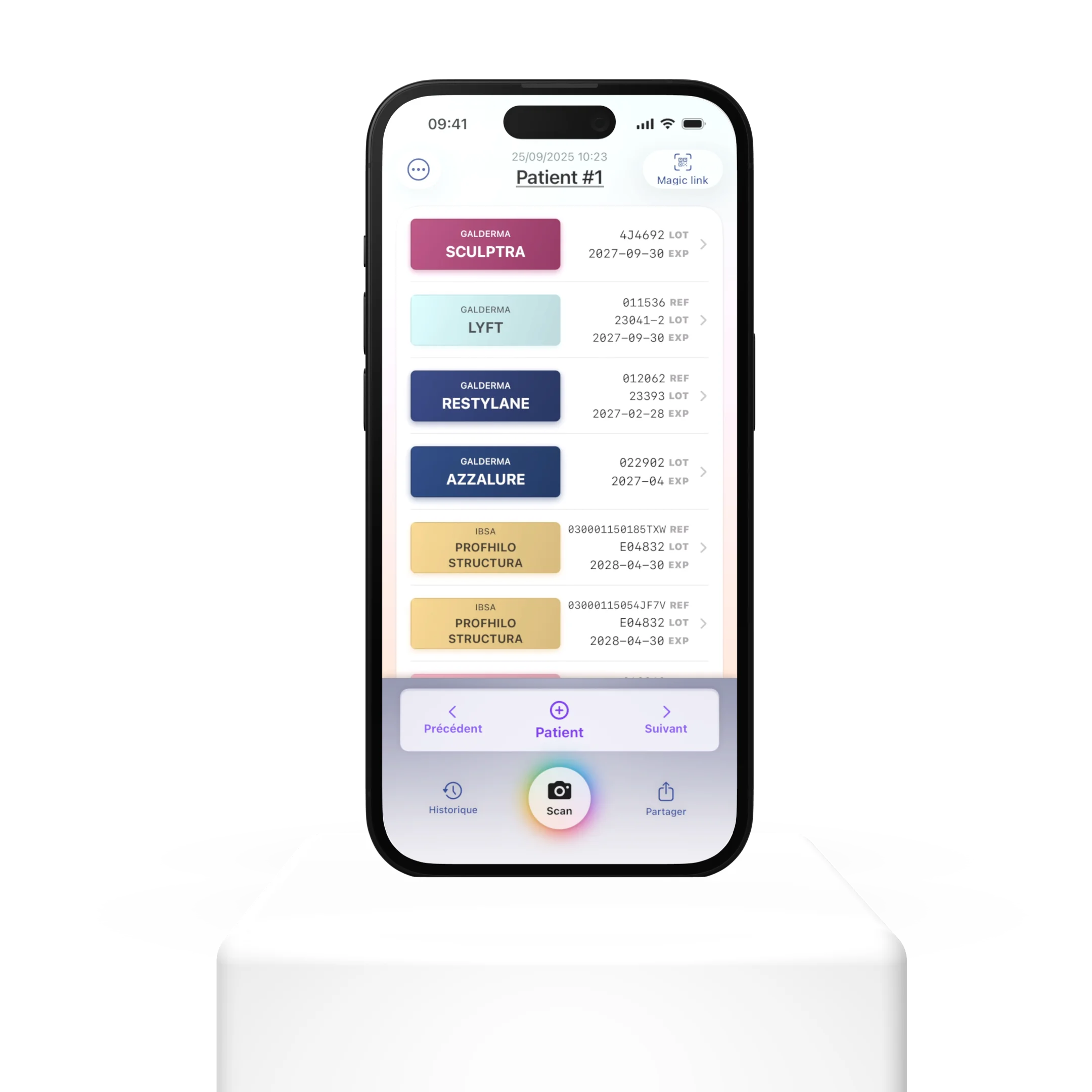
Once you share a session via QR code, your patient opens it in MySkinCompanion — a private, on-device record of their aesthetic treatments. No account. Nothing leaves their phone.
- A centralised treatment history
-
Every session you share is added to their personal timeline — product, lot, date, practitioner. When they return, you both know exactly what was done and when.
- Patient-set reminders
-
Your patient chooses when to be reminded for the next touch-up. Better adherence, fewer missed windows, warmer returns to your clinic.
- Zero-server by design
-
MySkinCompanion stores data only on the patient's device. No cloud, no account, no tracking — the same privacy promise as MyBoxScanner.
Some Numbers
We regularly recognize new products. If you can't find your favorite product among the list of supported products, feel free to let us know.
- Known products
- 142
- Brands
- 18
- Boxes scanned
- 3854
- Success rate
- 97.3%
Recognized products
Discover the complete list of products compatible with MyBoxScanner.
Available on the App Store
Download MyBoxScanner now and start scanning your products in seconds. Free Application.
For clinic managers
Clinic solution
See your product consumption in real time — by practitioner, by type, by manufacturer — and make better purchasing decisions.
- Instant overview
-
See all products used by practitioner, type, and manufacturer, over any time period. No more label sheets to archive and enter manually.
- Trends and shifts
-
Spot consumption increases and drops before they cost you. Identify declining products and rising ones.
- Negotiate with data
-
Walk into supplier meetings with exact volumes by product and brand. Negotiate discounts on facts, not estimates.
- Practitioner overview
-
Monitor your clinic's activity without collecting any patient data. Everything remains anonymous and GDPR compliant.
Be the first to know about new features
Frequently Asked Questions
Here are some frequently asked questions. If you can't find the answer you're looking for, you can contact us; We will respond as soon as possible.
Getting Started
-
The application is currently available on iPhone (iOS 17 or higher). We are considering an Android version, but it is not yet available.
-
The Magic Link is a unique QR code displayed on the website's homepage. Scan it from the MyBoxScanner app on your iPhone to anonymously link your phone to your browser. Once connected, all products you scan appear instantly on your computer screen, ready to be copied into your patients' medical records. Show me how it works
-
No. MyBoxScanner requires no account, no registration and no password. Simply download the app and scan the Magic Link to get started. Your usage remains completely anonymous.
-
Yes, the MyBoxScanner app is free and available on the App Store.
Scanning & Products
-
Check out the complete and updated list of recognized products.
-
We work hard to support the main products commonly used in aesthetic medicine. You can check the complete and updated list of recognized products.
You can let us know that you would like to see your favorite product supported by contacting us.
-
MyBoxScanner automatically extracts key information from your injectable product boxes: the manufacturer, product name, reference number, lot number and expiry date. The data is then formatted for easy copying into your tracking software.
-
Make sure the box is well lit and that the barcode or QR code is fully visible. You can also try again by adjusting the viewing angle.
If the product is not recognized, the app will offer to send a request for us to add support for that product.
Privacy & Security
-
Everything is perfectly anonymous.
You are not identified, and we do not store any medical data. We only store the data necessary to improve our service.
No patient data is transmitted to MyBoxScanner.
-
All your data is hosted in Europe (Frankfurt, Germany) on a secure, GDPR-compliant infrastructure.
-
No. MyBoxScanner is designed to guarantee complete anonymity. No account is required, no personal information is collected and no patient data is transmitted. It is impossible to link a scan to a user or a patient.
-
Your scan data is retained for thirty (30) days, then automatically deleted. No medical or personal patient data is stored. For more details, please refer to our privacy policy.
Features & Integration
-
You can use any file tracking software. Once your data is scanned, you can copy and paste it in text format. You can even customize the format you prefer.
We work with partners to directly integrate our data into the most popular aesthetic medicine software.
-
Your scan history is accessible from the web interface after syncing via the Magic Link. You can copy the information from each scan to integrate it into your medical tracking software. A daily report of scanned products is also available and can be shared by email.
-
The app requires an internet connection to sync your scans with your browser via the Magic Link. Make sure you have an active connection to benefit from real-time synchronization.
-
The copied data format is currently predefined to best fit the most common medical tracking software. Customization options may be offered in a future update.
-
Yes. Each practitioner can download the app on their own iPhone and scan the Magic Link from their browser. No shared account is needed since the app works without registration.
Companion app for patients
-
Once your session is ready, tap the Share button in the MyBoxScanner iOS app to display a one-time QR code. Your patient scans it with the free MySkinCompanion app on their phone.
The session — product, lot, date, practitioner — is added to their personal treatment timeline. They can set their own reminder for when to come back for the next touch-up.
MySkinCompanion is a separate app available for iOS (Android coming soon). Learn more at myskincompanion.com.
-
No account, no registration. MySkinCompanion stores the shared sessions directly on the patient's phone — nothing is uploaded to any server. The same privacy promise as MyBoxScanner: if the patient loses their phone, the data is gone with it. No tracking, no cloud backup, no cross-device sync.
No questions match your search.